Skip to content

SenteRail for Kenyan SACCOs

SACCO software for your team and members in Kenya.

Bring member records, onboarding and SACCO-recorded savings into one workspace. Give members a way to view the records your team maintains.

Registration begins a review. It does not activate service or create a charge.

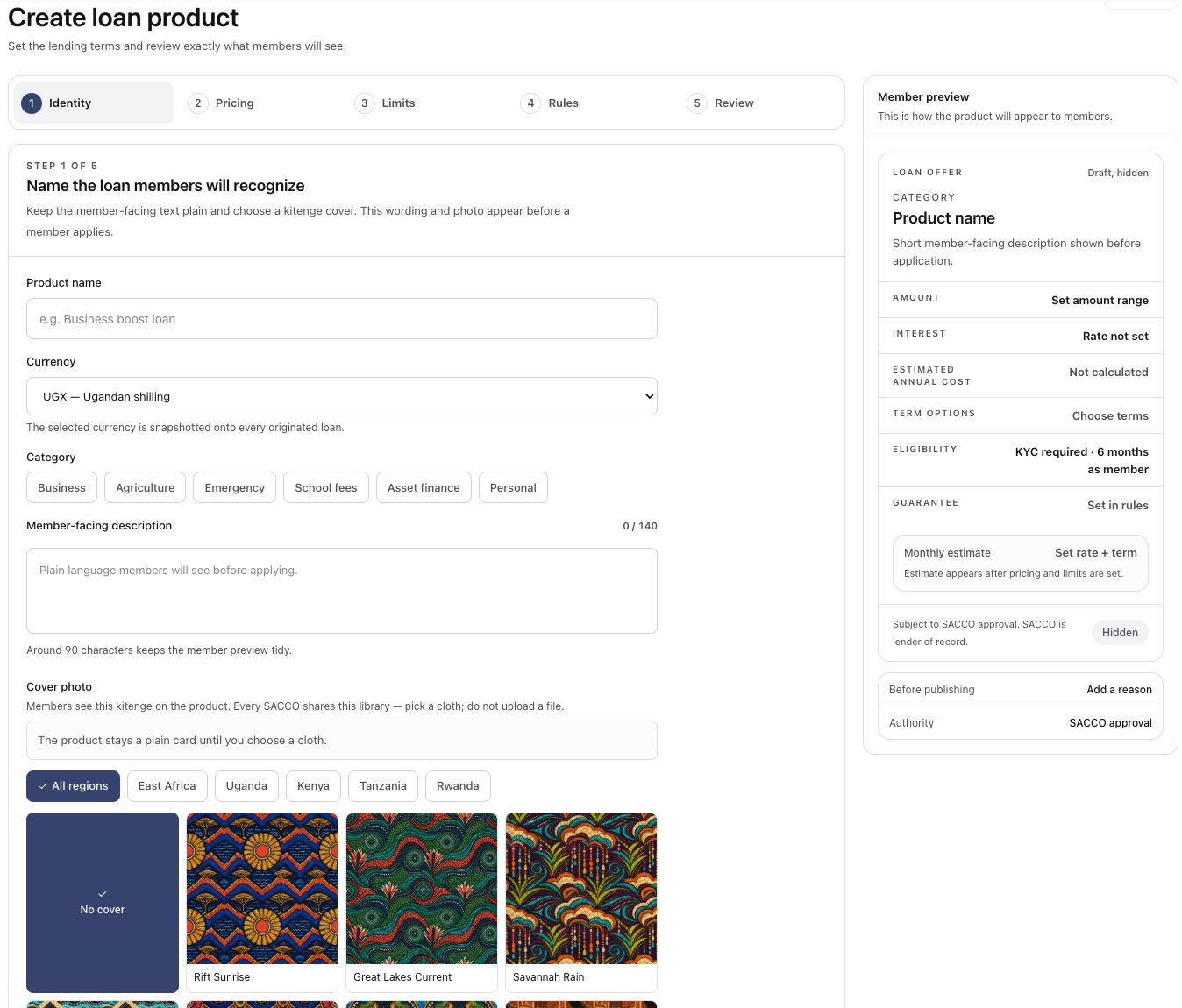
Loan-product setup with lending terms, member preview and kitenge cover choices.
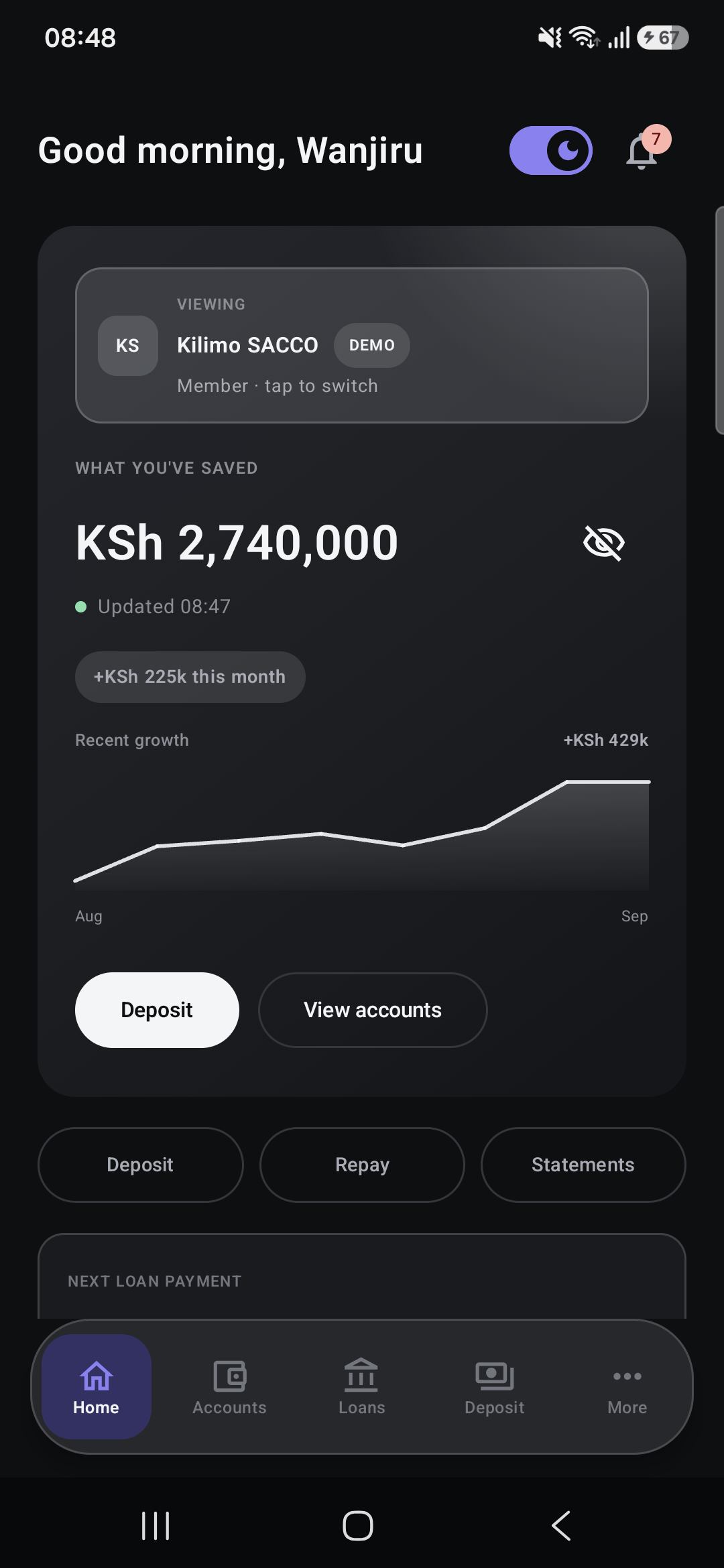
Kenya Member App demo dashboard with savings and account activity in KES (KSh).

Two connected products

Built around both sides of your SACCO.

For your team

A clear view of the work ahead.

Manage members, savings and loans in one workspace, with the records your team needs to follow through.

  • Keep member records together.
  • Configure savings and loan products.
  • Keep lending decisions with your team.
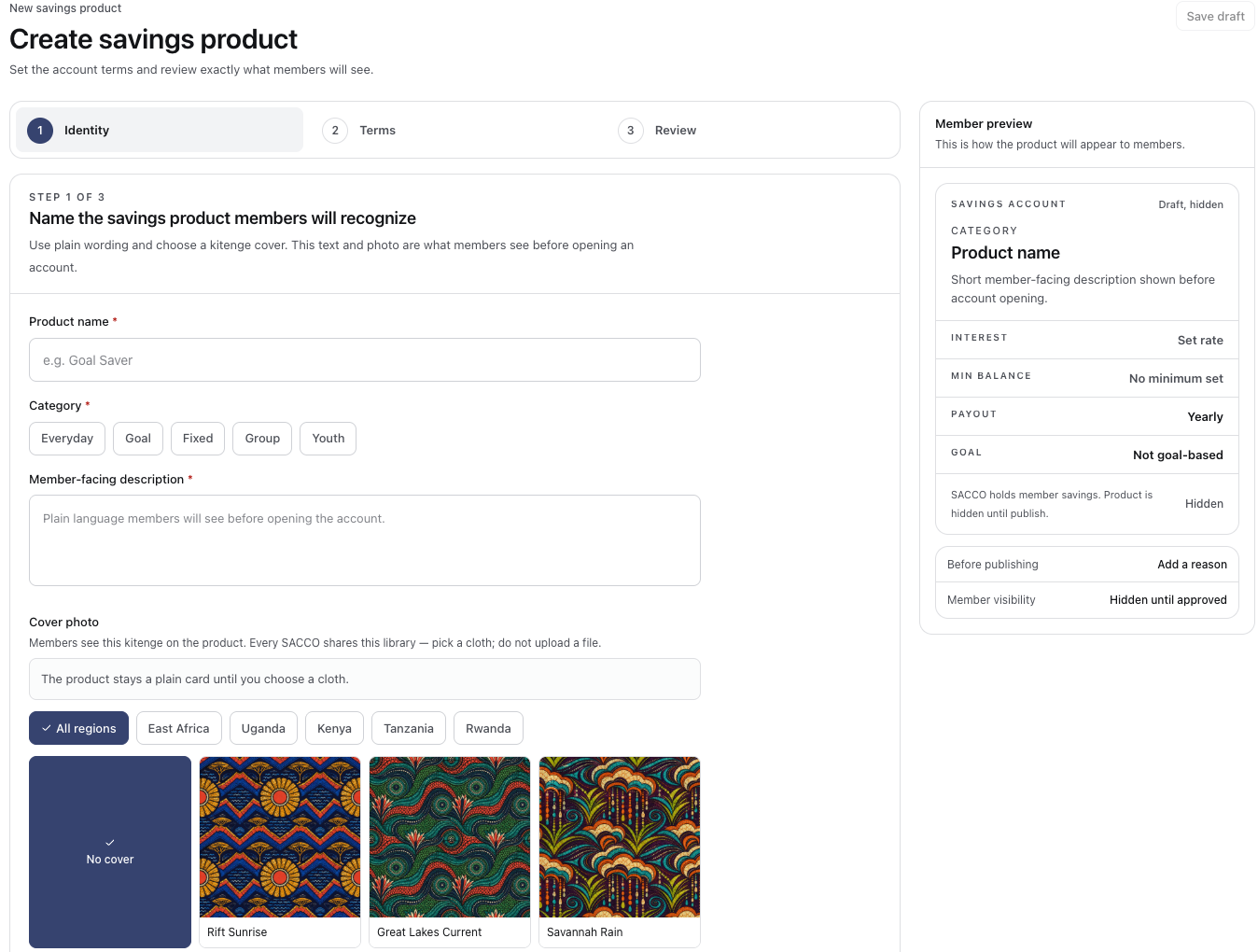
Savings-product setup with account terms and a member preview.

For your members

Your SACCO, close at hand.

Give admitted members a familiar place to view the accounts and loan records maintained by their SACCO.

  • See savings and account activity.
  • Follow loans and repayments.
  • View statements from a phone.
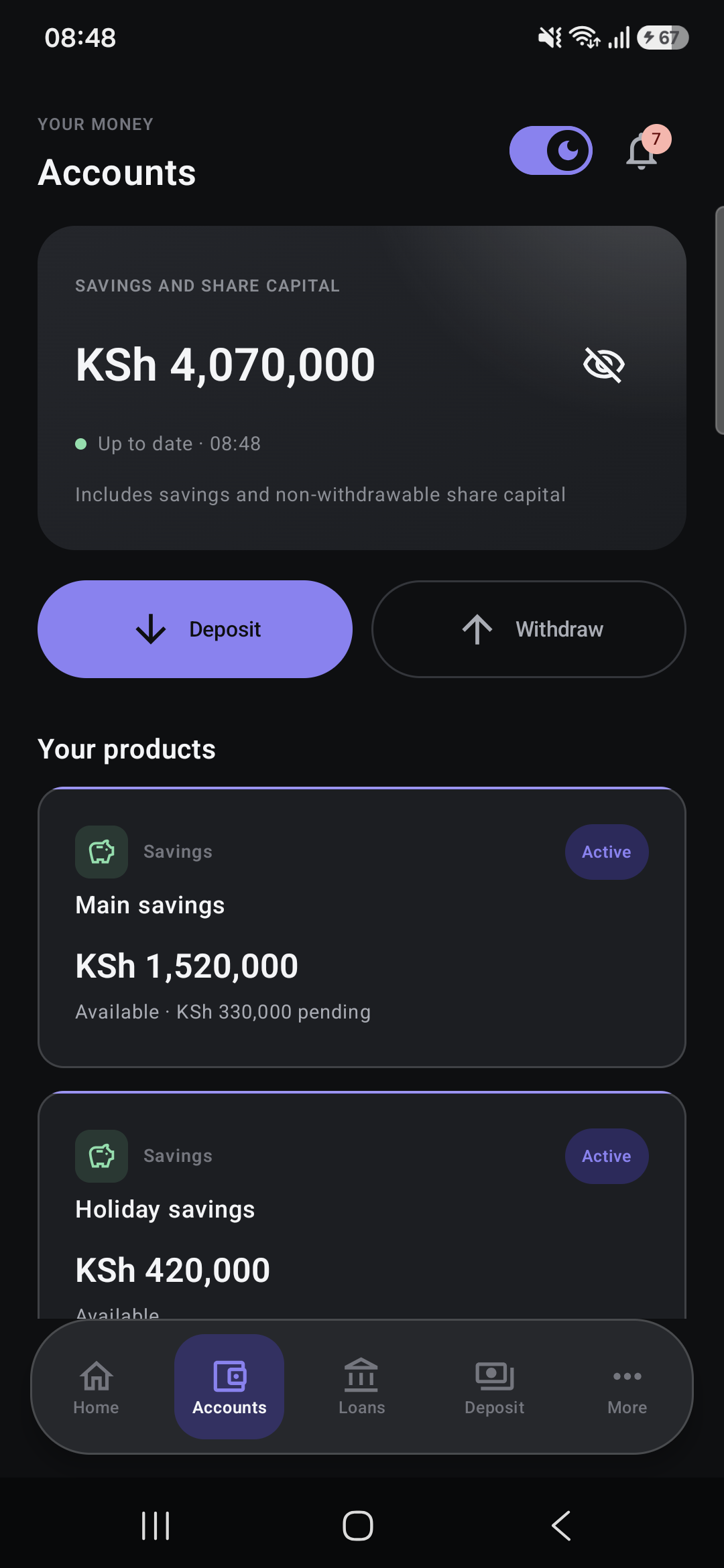
Kenya Member App demo accounts showing savings and share balances in KES (KSh).

Getting started

Bring your SACCO together.

  • Introduce your SACCO

    Start an application with your institution’s details.

  • Complete your review

    Provide the documents needed before activation.

  • Welcome your members

    Invite members and review their identity documents.

Plan your starting point.

See the software, then agree what your SACCO needs before any live setup.

  • Records and member access

    Your team maintains member and savings records. Members can view their SACCO records after the institution admits and invites them.

  • Money movement

    SenteRail is records software, not a custodian of member funds. Bank and mobile-money integrations are planned; confirm any available payment workflow with our team.

  • Starting or switching

    We review your existing records and workflows, agree a scoped migration assessment, then discuss checks, responsibilities and activation.

  • Cost and support

    Review the proposed plans and additional costs on the Kenya pricing page. Evaluation, any live pilot and paid service require separate agreed terms; support and migration scope are confirmed with your team.

Keep the everyday work together.

Member records, savings and loans belong together. Give your team a shared workspace and your members a clearer view of their accounts.

  • Members and onboarding

    Welcome applicants with a guided process and keep their membership details in one place.

  • Savings, shares and deposits

    Keep savings and share records organised around the products your SACCO offers.

  • Loans and guarantors

    Bring applications, guarantors, decisions and repayment schedules into the same workspace.

  • Ledger, reconciliation and reports

    Review transactions and prepare reports for your team, committee and auditors.

Before you get started

A few practical answers for your SACCO team.

What does SenteRail bring together?

Member records, savings, shares, loans and reports. Your team works in the Back Office, while members use the Member App to view their SACCO accounts. Your SACCO keeps responsibility for membership and lending decisions.

Can we move from spreadsheets or another system?

Start with a migration conversation. We review your records and workflows together, then agree what can move, how your team will check it, and the scope, timing and cost of the work.

Does the software collect M-Pesa payments automatically?

Bank and mobile-money integrations are planned, not part of the live capability described here. Your team can record receipts. Confirm the available payment workflow with us before activation.

How do members get access?

Your SACCO decides admission and sends invitations. Admitted members can sign in to view the records their SACCO maintains. Members already using SenteRail should use their existing sign-in or invitation link.

What will it cost and what support is included?

The pricing page shows proposed annual plans and additional cost categories. An application is not a purchase. Test-data evaluation, any live pilot and paid service have different terms; confirm support, migration and final costs with our team before agreeing a scope.

Can our team export records?

The Back Office includes data exports. Discuss the specific records and formats you need during your review; a regulatory return or migration format is not implied.

How do we get started?

Register your SACCO to start an application. Our team reviews it before activation; applying does not sign terms or create a charge. If you would like a walkthrough first, book a demo to discuss your team’s needs.

Explore what comes next

See if SenteRail fits your SACCO.

Start a reviewed application, or book a walkthrough to discuss your records and the work your team needs to support.

Applying does not activate service, sign an agreement or create a charge.